
Command palette
The command palette is a keyboard-first way to jump anywhere in the application or run a quick action, without navigating through the sidebar. Open it with Ctrl+K (Cmd+K on macOS) from any screen, or click the search icon in the top bar.
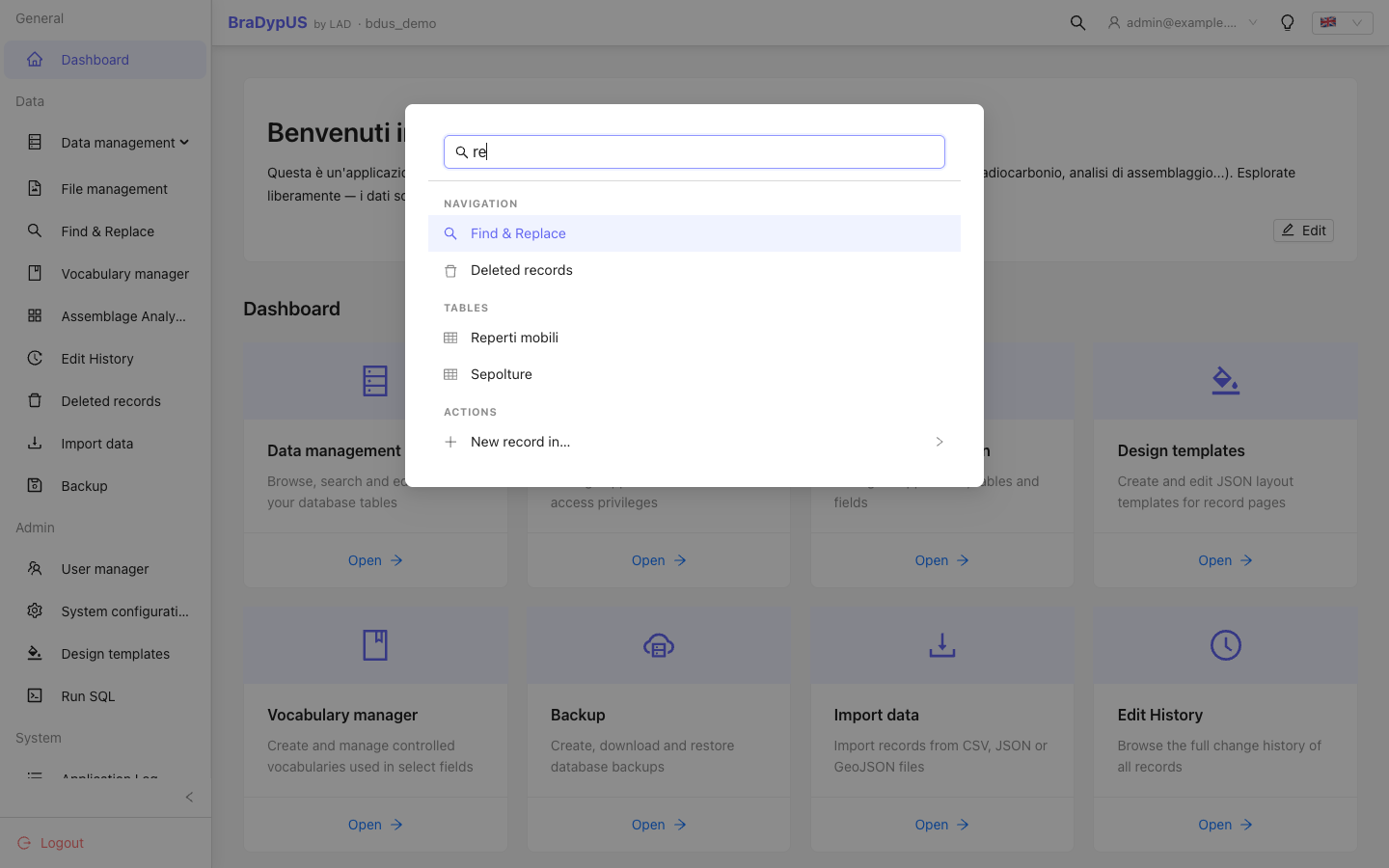
How to use
- Press Ctrl+K / Cmd+K (or click the search icon in the top bar).
- Start typing — results are filtered as you type, grouped into Navigation, Tables, and Actions.
- Use the arrow keys to move the highlighted selection, Enter to run it, Esc to close.
- Clicking a result with the mouse works too.
Typing a table name jumps straight to its record list — the fastest way to answer "show me all records in table X".
Actions that need a table
A few commands act on a specific table (e.g. New record in…, Open Harris Matrix for…). Selecting one of these keeps the palette open and narrows the list down to tables only — pick one to complete the action. Press Esc to step back to the full list instead of picking a table.
Available parametric actions:
| Action | What it does |
|---|---|
| New record in… | Opens a blank record for the chosen table |
| Open Harris Matrix for… | Only offered for tables with the Harris Matrix (RS) plugin enabled |
| Open chronology for… | Only offered for tables with the Fuzzy date plugin enabled |
| Open map for… | Available for every table |
What shows up depends on your privilege
The palette only ever offers destinations and actions your account is actually allowed to use — the same rule the sidebar follows. If something you expect is missing (e.g. System configuration, Free SQL), it's because your user privilege doesn't grant it, not a bug.
TIP
The palette also exposes a couple of things that have no sidebar entry at all, like switching dark mode or language directly from the keyboard.